Microsoft 365 Security Settings Every Business Should Review
Microsoft 365 supports email, cloud storage, collaboration, documents, calendars, and user identities. Because so much business activity happens inside one platform, its security settings should be reviewed regularly.
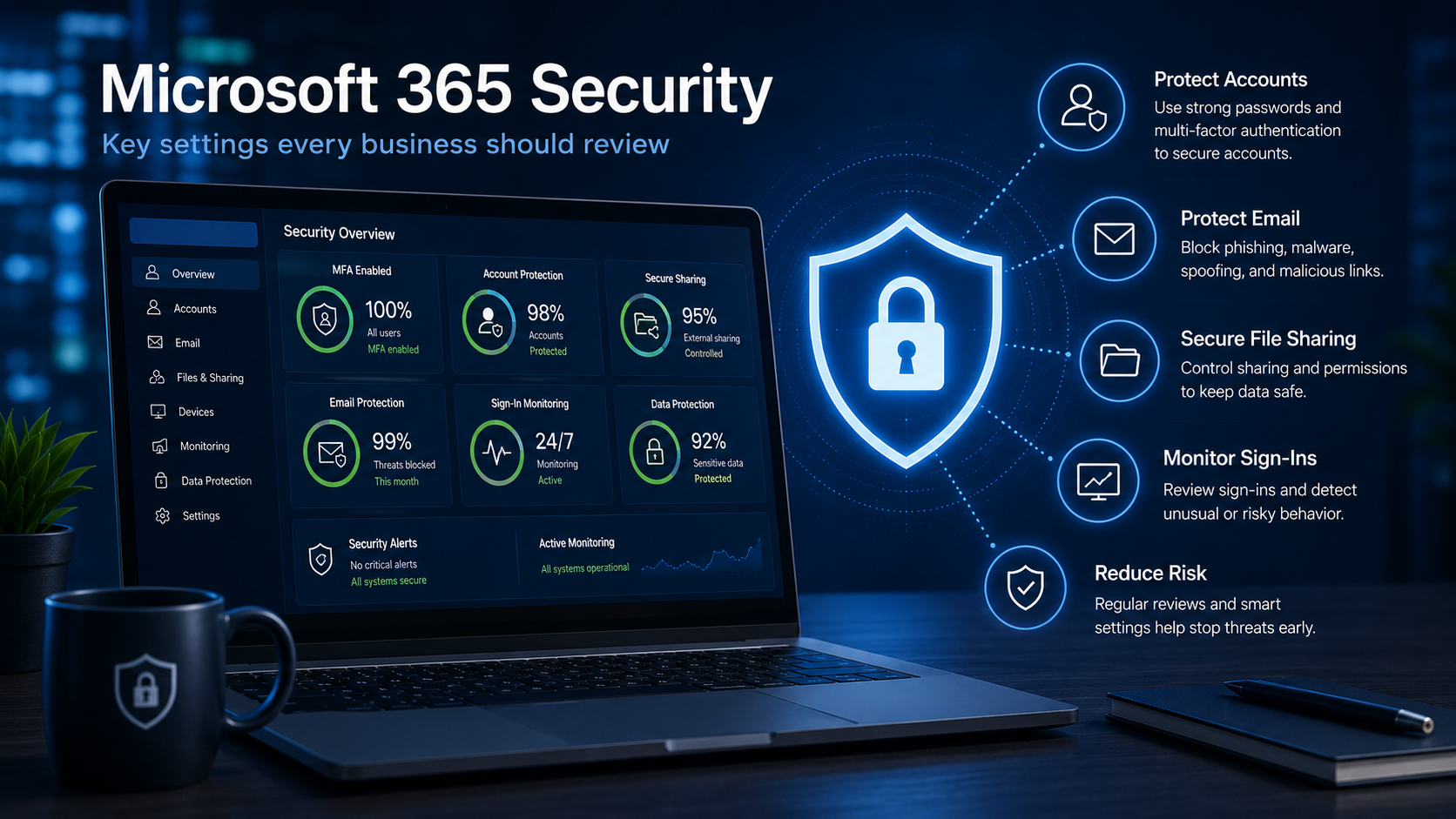
Microsoft 365 is one of the most important platforms many businesses use every day. Email, Teams, SharePoint, OneDrive, calendars, documents, and user accounts often live inside the same environment.
That makes Microsoft 365 extremely valuable to the business, but it also makes it a common target for attackers.
For small and mid-sized businesses, Microsoft 365 security should not be treated as a one-time setup. It needs to be reviewed, monitored, and adjusted as users, devices, vendors, and business needs change.
Why Microsoft 365 security matters
Many businesses depend on Microsoft 365 for daily operations. If an account is compromised, an attacker may be able to access email, cloud files, contacts, calendars, shared documents, or internal conversations.
A compromised account can also be used to send phishing emails to employees, customers, and vendors. Because the email comes from a real business account, it may look more trustworthy than a typical phishing message.
Microsoft 365 security is not only an IT concern. Account compromise can affect financial transactions, customer trust, regulatory obligations, business communications, and access to sensitive information.
This is why Microsoft 365 security should be treated as a business risk issue, not simply an email configuration task.
Multi-factor authentication should be enabled
Multi-factor authentication, often called MFA, is one of the most important security controls for Microsoft 365. MFA helps protect accounts by requiring a second form of verification in addition to a password.
If a password is stolen, MFA can make it much harder for an attacker to access the account. This is especially important for email, administrator accounts, remote access, and users who handle financial or sensitive information.
Businesses should make sure MFA is enabled for all users, not just administrators.
Recommended review
Confirm that every active Microsoft 365 user is registered for MFA and that outdated or insecure verification methods are not being relied upon.
Admin accounts need extra protection
Administrator accounts have more control than normal user accounts. If an admin account is compromised, the damage can be much more serious.
Admin accounts should have strong authentication, limited access, and regular reviews. Businesses should avoid using daily email accounts as administrator accounts whenever possible.
It is also important to remove administrator access from users who no longer need it.
Only the right people should have elevated access, and that access should be protected carefully.
Review users and old accounts
Old or unused accounts can create unnecessary risk. Former employees, stale vendor accounts, temporary users, and inactive mailboxes should be reviewed regularly.
If an account is no longer needed, it should be disabled or removed according to the business's offboarding and data retention process.
If the account still needs to exist, its permissions, mailbox access, group memberships, and license assignments should be reviewed to make sure they remain appropriate.
Accounts that deserve regular review
Check mailbox forwarding rules
Attackers sometimes create hidden mailbox forwarding rules after compromising an email account. These rules can quietly send copies of incoming messages to an outside address.
This can allow an attacker to monitor conversations, watch for invoices, gather sensitive information, or prepare a more targeted attack.
Businesses should periodically review external forwarding, inbox rules, transport rules, and other unusual mailbox behavior, especially after any suspected compromise.
Warning sign
Unexpected forwarding rules, deleted security alerts, unusual sent messages, or missing replies may indicate that a mailbox has been accessed by an unauthorized person.
File sharing should be controlled
SharePoint and OneDrive make it easy for employees to share files, but file sharing needs to be managed carefully. External sharing, anonymous links, and broad permissions can expose business data if they are not reviewed.
Businesses should know who can share files externally, which types of sharing links are allowed, and whether sensitive folders have the right permissions.
File sharing should support productivity without creating unnecessary data exposure.
Review
- External users
- Anonymous sharing links
- Site and folder permissions
- Guest access
Confirm
- Who owns the data
- Who can reshare it
- Whether links expire
- Whether access is still needed
Sign-in activity should be monitored
Microsoft 365 sign-in activity can provide important clues about account risk. Suspicious sign-ins may include unusual locations, repeated failed login attempts, impossible travel events, or logins from unfamiliar devices.
Monitoring sign-in activity helps businesses identify potential account compromise earlier. It also supports better incident response if something suspicious occurs.
For small and mid-sized businesses, this is especially important because account compromise may not be obvious right away.
Email protection should be reviewed
Email remains one of the most common ways attackers target businesses. Microsoft 365 email security settings should be reviewed to help reduce phishing, spoofing, malicious links, unsafe attachments, and impersonation attempts.
Email protection should work alongside user awareness training, MFA, endpoint protection, and security monitoring.
No single layer catches everything, but multiple layers working together can reduce risk.
Effective email security uses multiple layers
Security settings should not be “set and forget”
Microsoft 365 environments change over time. Employees are added, vendors are given access, files are shared, licenses change, and new features are enabled.
If security settings are never reviewed, risk can build up quietly.
A practical Microsoft 365 security review should include:
- User accounts
- Administrator accounts
- Multi-factor authentication
- Mailbox forwarding rules
- External sharing settings
- Email security controls
- Sign-in activity
- Device access
- Permissions and groups
These reviews help keep the environment aligned with the way the business actually operates.
Microsoft 365 security requires practical controls and regular review
Microsoft 365 is a powerful business platform, but it needs the right security controls around it. MFA, account reviews, administrator protection, email security, file sharing controls, and sign-in monitoring all help reduce risk.
Small and mid-sized businesses do not need an overly complicated security program to improve Microsoft 365 protection. They need practical settings, regular reviews, and a clear process for keeping users, data, and business systems secure.
Are you confident your Microsoft 365 environment is properly secured?
MVR Group helps businesses review Microsoft 365 security, user access, MFA, email protection, file sharing, administrator permissions, and account activity.