Cybersecurity · 4 min read
Email security risks every business should take seriously.
Email is one of the most important communication tools in business, but it is also one of the most common ways attackers target organizations.
Email is one of the most important communication tools in business, but it is also one of the most common ways attackers target organizations. For small and mid-sized businesses, email security should not be treated as optional. A single suspicious message can lead to stolen passwords, compromised accounts, fraudulent payments, malware, or business disruption.
The challenge is that many email attacks no longer look obvious. Attackers often use realistic branding, familiar language, fake invoices, urgent requests, and spoofed sender names to make messages appear legitimate. That is why businesses need a layered approach to email security, user awareness, and account protection.
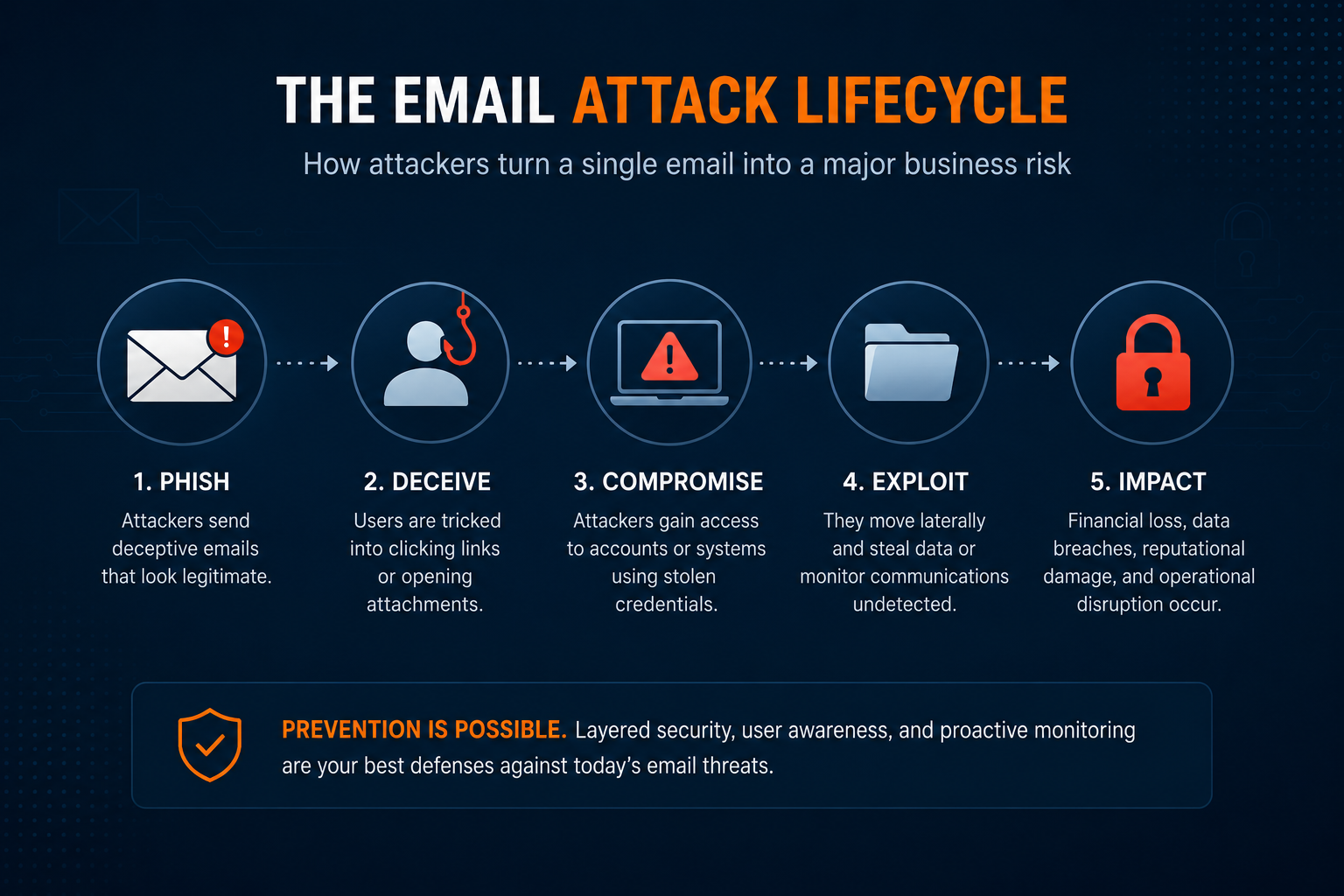
Phishing emails are still one of the biggest risks
Phishing emails are designed to trick users into clicking a link, opening an attachment, or entering login credentials. These messages may pretend to come from Microsoft, a bank, a shipping company, a vendor, or even someone inside the business.
Once an employee enters their password on a fake login page, attackers may try to access email, Microsoft 365, cloud files, contacts, or other business systems. If multi-factor authentication is not enabled, the risk becomes even greater.
Email filtering helps reduce phishing attempts, but it cannot catch everything. Employees still need to know what suspicious messages look like and how to report them.
Spoofing can make fake emails look real
Email spoofing happens when an attacker makes a message look like it came from a trusted person or company. The display name may show the owner, manager, vendor, or accounting contact, even though the message came from somewhere else.
This is especially risky for businesses that rely heavily on email approvals, payment requests, file sharing, or vendor communication. A spoofed email may ask an employee to change payment details, buy gift cards, send sensitive information, or approve an urgent request.
Businesses can reduce spoofing risk with stronger email authentication, better filtering, domain protection, and employee awareness.
Business email compromise can be expensive
Business email compromise, often called BEC, is a targeted email attack where criminals try to manipulate employees into sending money, changing banking information, or sharing sensitive data.
These attacks may not include malware or suspicious attachments. Instead, they rely on trust, timing, and urgency. An attacker may impersonate an executive, vendor, client, or employee and ask for something that seems routine.
Common examples include fake invoice changes, wire transfer requests, payroll changes, and urgent executive requests. Clear approval processes and out-of-band verification can help prevent these attacks from succeeding.
Attachments and links can create security exposure
Malicious attachments and unsafe links remain common email threats. A file may look like an invoice, proposal, resume, document, or shared report. A link may appear to go to Microsoft 365, Dropbox, DocuSign, SharePoint, or another trusted service.
If a user opens the wrong file or enters credentials into the wrong page, the business may be exposed. Endpoint protection, email filtering, DNS protection, and user training all help reduce this risk.
Microsoft 365 accounts need extra protection
Many small and mid-sized businesses rely on Microsoft 365 for email, files, Teams, and collaboration. That makes Microsoft 365 accounts a valuable target.
If an email account is compromised, attackers may search old messages, monitor conversations, send phishing emails from the real account, or create forwarding rules to hide activity. This can create a serious security and privacy issue.
Multi-factor authentication, sign-in monitoring, strong password policies, conditional access, and regular account reviews can help protect Microsoft 365 environments.
User awareness matters
Technology controls are important, but employees are still a major part of email security. People need to know how to spot suspicious messages, slow down before clicking, verify unusual requests, and report anything that does not look right.
Good security awareness does not have to be complicated. It should focus on practical examples employees are likely to see, such as fake password resets, invoice scams, vendor impersonation, and urgent payment requests.
Email security should be layered
No single tool can stop every email threat. A better approach includes multiple layers of protection.
Email filtering helps reduce suspicious messages before they reach users.
Anti-phishing protection helps detect impersonation, malicious links, and unsafe attachments.
Multi-factor authentication helps protect accounts if passwords are stolen.
Microsoft 365 security settings help control access, permissions, sign-ins, and email rules.
Employee awareness training helps users recognize suspicious emails and report them quickly.
When these layers work together, businesses are better prepared to prevent, detect, and respond to email-based attacks.
Final thought
Email security is one of the most important parts of a business cybersecurity strategy. Phishing, spoofing, unsafe links, malicious attachments, and account compromise can affect productivity, finances, data, and customer trust.
Small and mid-sized businesses should take email risk seriously before a suspicious message becomes a larger incident. With the right protections, user awareness, and monitoring in place, email can remain a reliable business tool instead of a major security weakness.
Need help improving your email security?
MVR Group helps businesses strengthen email security through Microsoft 365 protection, multi-factor authentication, anti-phishing controls, user awareness training, and ongoing monitoring.
Schedule a Free Security Consultation