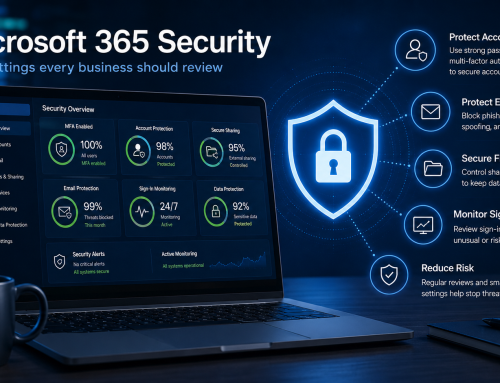
Microsoft 365 Security · 5 min read
Simple Microsoft 365 security improvements most businesses should review
Microsoft 365 is often the center of daily business operations, yet many organizations overlook simple security settings that can significantly reduce risk. Small improvements can help protect accounts, email, files, and business data without creating unnecessary complexity.
Microsoft 365 has become one of the most important business platforms for email, file sharing, collaboration, communication, and productivity. Because so much business activity takes place within Microsoft 365, it has also become a common target for cybercriminals.
The good news is that many security improvements do not require major infrastructure changes or expensive projects. Reviewing a few key settings can strengthen security and help reduce business risk.
Enable multi-factor authentication everywhere possible
Multi-factor authentication, often called MFA, remains one of the most effective security controls available. Even if a password becomes compromised, MFA provides an additional layer of protection before access is granted.
Every business should review Microsoft 365 user accounts and ensure MFA is enabled for employees, administrators, remote workers, and any accounts with elevated privileges.
Many successful account compromises occur simply because MFA was not enabled consistently across the organization.
Review administrator accounts
Administrative accounts deserve additional attention because they have greater access to systems and data. Businesses should limit the number of global administrators and regularly review who has elevated permissions.
Administrative accounts should have strong passwords, MFA enabled, and additional protections whenever possible.
Reducing unnecessary administrator access can significantly lower security risk.
Check external sharing settings
Microsoft 365 makes collaboration easy, but file sharing settings should be reviewed regularly. Overly permissive sharing can expose sensitive business information to unintended recipients.
Organizations should evaluate how SharePoint, OneDrive, and Teams allow files to be shared internally and externally.
Reviewing permissions helps ensure employees can collaborate effectively without creating unnecessary exposure.
Strengthen email security
Email remains one of the most common entry points for cyberattacks. Phishing emails, spoofing attempts, malicious links, and fraudulent requests continue to target businesses of all sizes.
Microsoft 365 includes several email protection features that should be reviewed and properly configured.
Anti-phishing protection helps identify suspicious messages and impersonation attempts.
Safe Links helps inspect potentially dangerous URLs before users access them.
Safe Attachments helps detect malicious files delivered through email.
DMARC, DKIM, and SPF help improve email authentication and reduce spoofing risks.
Video courtesy of Microsoft Security.
Microsoft 365 security features can help strengthen email protection, account security, and business resilience.
Review conditional access policies
Conditional access allows organizations to control how and when users access Microsoft 365 resources. Businesses can require additional verification, restrict risky sign-ins, and apply protections based on location, device status, or user role.
Even basic conditional access policies can significantly strengthen account security while maintaining a positive user experience.
Monitor sign-in activity
Many businesses are surprised by the number of unsuccessful login attempts directed at Microsoft 365 accounts. Regularly reviewing sign-in logs can help identify suspicious activity before it becomes a larger issue.
Security monitoring provides visibility into unusual login locations, repeated failures, impossible travel events, and other indicators that deserve attention.
Review backup and recovery readiness
While Microsoft provides platform availability and retention features, businesses should understand their recovery requirements and verify how important data is protected.
Email, SharePoint data, Teams content, and OneDrive files are often critical business assets that require recovery planning.
Knowing how data can be restored before an issue occurs helps improve resilience and reduce downtime.
Train users regularly
Technology controls are important, but employees remain one of the most important parts of a security strategy. User awareness training helps employees recognize phishing attempts, suspicious requests, and other common threats.
Even simple training programs can help reduce the likelihood of successful social engineering attacks.
Security does not have to be complicated
Many businesses assume improving Microsoft 365 security requires major investments or extensive projects. In reality, reviewing a handful of core security settings often provides meaningful improvements.
MFA, administrator reviews, email protection, conditional access, sharing controls, monitoring, and user awareness are all practical areas that can strengthen security without disrupting productivity.
Final thought
Microsoft 365 plays a critical role in modern business operations, making it an important area for security review. Small improvements made today can help reduce risk, improve visibility, and strengthen protection against common threats.
Businesses do not need to implement every advanced security feature immediately. They simply need a practical approach that prioritizes the most important protections and continuously improves security over time.
Need help securing Microsoft 365?
MVR Group helps businesses strengthen Microsoft 365 security through MFA, email protection, access controls, monitoring, and ongoing guidance.
Schedule A Free Consultation